Trying to remember a topic from memory with no notes, then getting AI to correct it. Basically using active recall to help me remember things better and forcing myself to post it so I do it more often.
My Notes
What does vacuuming your database actually do?
Vacuuming a database gets rid of bloat. In PostgreSQL, bloat happens because Postgres uses an MVCC architecture, which means it keeps multiple versions of the same data around so transactions can see a consistent snapshot of the database.
When you update a row in Postgres, you do not change the row in place. Instead, Postgres creates a new tuple and keeps the old tuple around. I think the tuple has cmin and cmax values, where cmin tells you which transaction the value is valid from, and cmax tells you when that value was overwritten.
Because old row versions are kept around, the database can end up storing a lot of historical versions of rows. If you did not vacuum, I think you would eventually be able to see the whole history of the database, which was originally how Postgres worked. Some companies seem to charge money for basically not running vacuum and keeping history around, looking at you Oracle, I think.
Vacuuming removes old rows that no currently running transaction can see anymore. It also updates the freelist, so Postgres has an up-to-date view of which pages have actual data and which pages have free space that can be used for future writes.
A full vacuum is different because it locks the whole table. It shuffles data around in the pages to make sure free space is not being wasted. This should not be used casually because it can take a long time, and while it is running no reads or writes can happen. VACUUM FULL needs locks because it changes the layout of the table, so it cannot have another transaction writing to it at the same time.
What I Got Wrong
-
I said vacuum gets rid of bloat. This is roughly right, but normal
VACUUMdoes not usually shrink the table file on disk. It removes dead tuples and marks the space as reusable inside the table. The database can reuse that space for future writes, but the operating system normally does not get the disk space back unless you use something likeVACUUM FULL,CLUSTER, or table rewrites. -
I said Postgres “takes snapshots of the database” when running a transaction. The idea is right, but the wording is too physical. Postgres does not copy the whole database for each transaction. It builds a logical snapshot that says which transaction IDs are visible to the current transaction. That snapshot is then used to decide which tuple versions a query is allowed to see.
-
I said MVCC lets transactions see a consistent snapshot, but I blurred reads and writes together. MVCC is mainly about concurrency and isolation: readers can see a consistent view of the database while writers are changing rows. It helps readers and writers avoid blocking each other. Write consistency also depends on locking, constraints, WAL, isolation levels, and conflict detection.
-
I said tuple visibility is tracked with
cminandcmax. The main fields arexminandxmax.xminis the transaction ID that created the tuple.xmax, when set, is the transaction ID that deleted or superseded it.cminandcmaxare command IDs inside a single transaction, which matter for visibility between commands in the same transaction, but they are not the main “valid from” and “valid until” transaction markers. -
I said without vacuum you would be able to see the whole history of the database. The dead tuples may still exist physically on disk for a while, but normal SQL queries will not see them because MVCC visibility rules hide tuple versions that are not visible to your transaction snapshot. Vacuum is about cleanup and reuse of space, not about changing what ordinary queries can see.
-
I compared this to companies charging for “not running vacuum.” This is a fun line, but technically it mixes up different features. Some databases offer temporal tables, flashback queries, undo retention, or time-travel features. Those are deliberate historical query features. PostgreSQL dead tuples are not a supported user-facing history mechanism; they are internal storage leftovers that must eventually be cleaned up.
-
I said vacuum updates the “freelist.” PostgreSQL has a free space map, not usually called a freelist. Vacuum records reusable space in the free space map so future inserts and updates can find pages with room. It also updates the visibility map, which helps with index-only scans and lets future vacuums skip pages that are already known to be all-visible or all-frozen.
-
I said
VACUUM FULLshuffles data around in the page.VACUUM FULLis more drastic than compacting individual pages. It rewrites the whole table into a new, compact physical copy and then swaps it in. That is why it can return disk space to the operating system, and also why it needs a heavy lock. -
I said
VACUUM FULLneeds locks on all the pages. The important lock is table-level:VACUUM FULLtakes anACCESS EXCLUSIVElock on the table. That blocks reads and writes for the duration. NormalVACUUMcan run concurrently with ordinary reads and writes, although it still does internal coordination and can be affected by long-running transactions. -
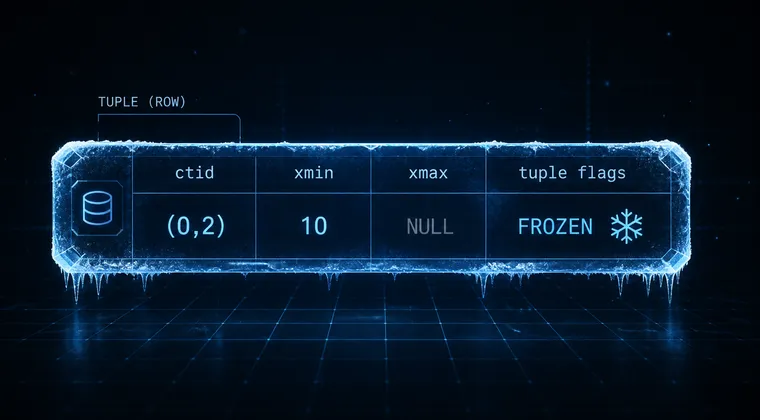
I didn’t mention transaction ID wraparound. This is one of the biggest reasons vacuum is not optional in PostgreSQL. Transaction IDs are finite, so old tuple metadata eventually needs to be frozen. Autovacuum performs freezing work to stop old transaction IDs becoming ambiguous after wraparound.
How PostgreSQL Vacuum Actually Works
PostgreSQL uses MVCC, which stands for Multi-Version Concurrency Control. The core idea is that a query should see a consistent view of the database, even while other transactions are changing data.
Instead of overwriting rows in place, PostgreSQL keeps multiple physical versions of a row. These row versions are called tuples. When you update a row, Postgres creates a new tuple version and marks the old tuple as no longer current. When you delete a row, Postgres marks the tuple as deleted. The old physical tuple is still sitting in the table until it is safe to clean up.
Tuple Visibility
Each tuple contains visibility metadata. The two most important fields are:
xmin: the transaction ID that created this tuple.xmax: the transaction ID that deleted or replaced this tuple, if that has happened.
When a transaction runs a query, it uses its snapshot to decide which tuple versions are visible. If another transaction updated a row after your snapshot was taken, your query may still need to see the older version. That is why Postgres cannot immediately delete old tuple versions as soon as an update happens.
This is the key tradeoff of MVCC: reads and writes can run with less blocking, but the database creates old row versions that need to be cleaned up later.
Dead Tuples
A dead tuple is an old row version that no active transaction can see anymore. Once Postgres knows no running transaction needs that old version, vacuum can remove it.
Removing the tuple does not necessarily mean shrinking the table file. Normal VACUUM cleans out the dead tuple and marks the space as available for reuse. Future inserts or updates can use that space instead of extending the table.
So normal vacuum is mostly internal recycling. It reduces bloat pressure, but it usually does not hand disk space back to the operating system.
Free Space Map and Visibility Map
Vacuum also updates PostgreSQL’s internal maps.
The free space map tracks pages that have reusable space. This helps Postgres find a good page when inserting or updating rows, rather than always appending to the end of the table.
The visibility map tracks pages where all tuples are visible to all transactions, and pages where tuples have been frozen. This matters because it lets Postgres skip work in future vacuums and enables index-only scans. An index-only scan can avoid visiting the table heap when the visibility map proves the indexed row is visible.
Autovacuum
You usually do not run vacuum manually for routine cleanup. PostgreSQL has autovacuum workers that wake up in the background and vacuum tables based on how many inserts, updates, and deletes have happened.
Autovacuum has two major jobs:
- Clean up dead tuples so tables and indexes do not fill up with old row versions.
- Freeze old transaction IDs so the database does not hit transaction ID wraparound problems.
Long-running transactions can make vacuum less effective. If a transaction stays open for a long time, Postgres may have to keep old tuple versions around because that transaction’s snapshot might still be able to see them. This is one reason idle transactions are dangerous in PostgreSQL systems.
Normal Vacuum vs Vacuum Full
Normal VACUUM scans the table, removes dead tuples where possible, and marks space for reuse. It can run alongside normal reads and writes. It may not clean everything if old transactions are still running, and it usually does not shrink the table file on disk.
VACUUM FULL is different. It rewrites the table into a new compact copy. Because it creates a compact version of the table, it can return unused disk space to the operating system. But this comes with a big cost: it takes an ACCESS EXCLUSIVE lock on the table, which blocks reads and writes while it runs.
That makes VACUUM FULL a special-case maintenance tool, not something you want as part of normal day-to-day database operation.
Tradeoffs
Normal VACUUM | VACUUM FULL | |
|---|---|---|
| Main job | Remove dead tuples and mark space reusable | Rewrite table into a compact copy |
| Returns disk to OS | Usually no | Yes |
| Blocks reads | No, for ordinary reads | Yes |
| Blocks writes | No, for ordinary writes | Yes |
| Lock level | Lightweight compared with full vacuum | ACCESS EXCLUSIVE |
| Typical use | Routine maintenance/autovacuum | Emergency or planned space reclamation |
Vacuum is the cleanup half of PostgreSQL’s MVCC design. MVCC gives you consistent reads without constantly blocking writers, but it leaves old row versions behind. Vacuum removes row versions nobody can see anymore, updates PostgreSQL’s bookkeeping, and keeps the system from slowly filling up with dead data.
P.S. If there are any mistakes please let me know, I’m by no means an expert.